AI-Assisted Load Testing with Locust & Azure Load Testing

September 3, 2026
Load Testing for the AI Era
A system can work perfectly in development and still struggle when real users show up. Load testing is one of the last checkpoints before launch, where “it works” has to prove it can also work at scale.
Ahead of a recent client launch, we put a microservices platform to the test using Locust, Azure Load Testing, and AI. We focused on four questions:
- Capacity: Can the system sustain the expected number of users?
- Speed: Do APIs stay fast as traffic increases?
- Reliability: Does the system remain stable under stress?
- Root Cause: When something breaks, where does it break first?
Unit tests tell us if an application works correctly. Manual QA tells us if it feels responsive. Load testing shows what happens when hundreds or thousands of users show up at once, giving us valuable intel for real-world situations.
In this post, I’ll walk through how we built a realistic Locust test, what we uncovered, and where AI made a real difference.
Why Locust Over JMeter
We'd used JMeter on past projects. It's a solid, well-established load testing tool. But it leans on a GUI and XML test plans, and both get unwieldy fast once you're modeling something more nuanced than "replay this request a thousand times."
This time we chose Locust instead, for three reasons:
- It's just Python. We could write real business logic, weighted user behaviors, branching flows, think-time, as code instead of assembling it through a UI.
- It's easier to maintain. Version-controlled, code-reviewable, and easy to reason about months later.
- It works better with AI. Plain Python is something an AI assistant can read and modify directly. XML test plans aren't built for that.
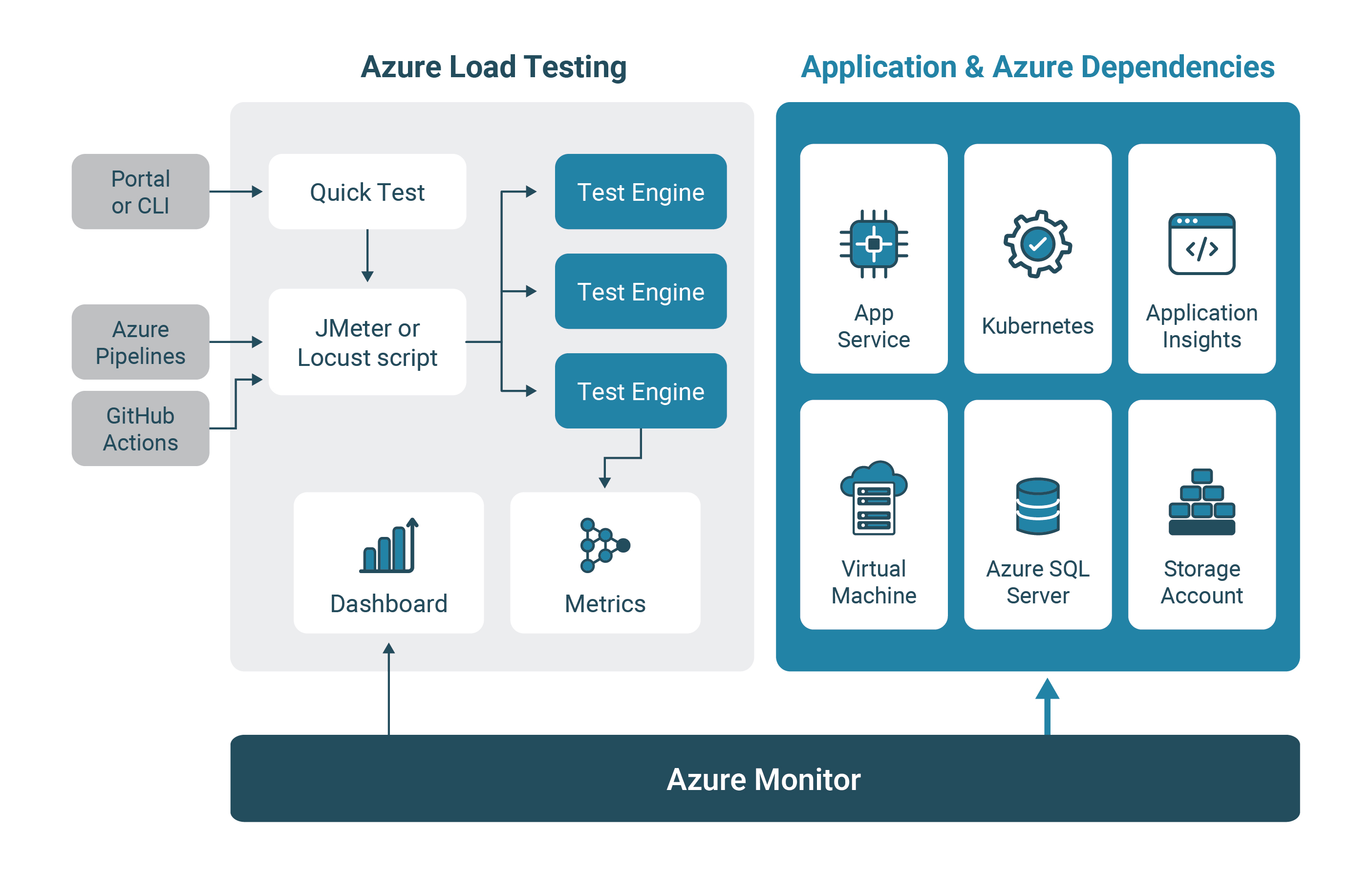
Locust also integrates cleanly with Azure Load Testing. Azure handles distributed test execution and automatically correlates client-side load metrics with server-side resource metrics, like CPU, memory, and database throughput, for every run.
Building a Realistic Test
It's tempting to hand an AI assistant an Open API spec and ask for a Locust script in one shot. We tried a version of this early on. It wasn't worth much.
Every simulated user hit endpoints at the same rate. No variation in wait time. Nothing resembled how people actually use the product. This consistent pattern of traffic makes it easy for a system to pass tests.
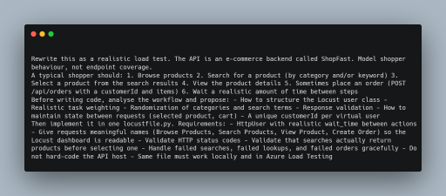
Instead, we treated our own understanding of the client's workflow as the source of truth, and used AI to get to the script faster, across four passes:
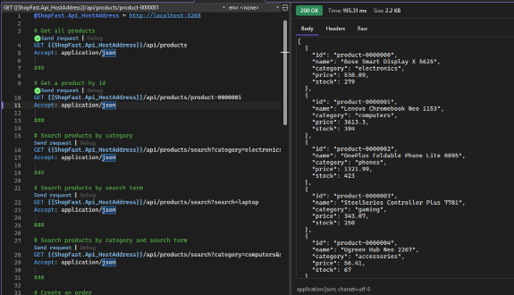
- A simple first pass. A plain .http file hitting the core endpoints in sequence. Just enough to confirm the environment, auth, and endpoints worked.
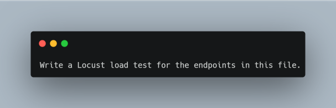
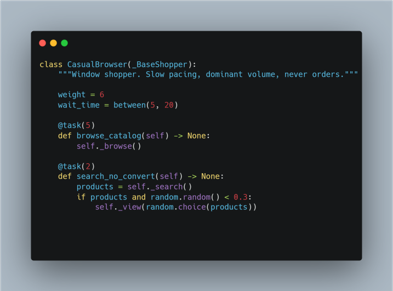
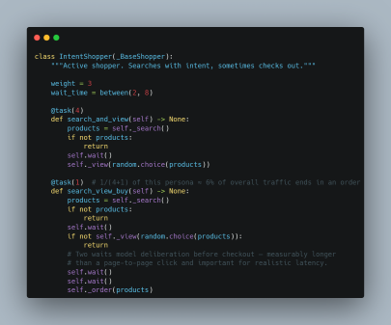
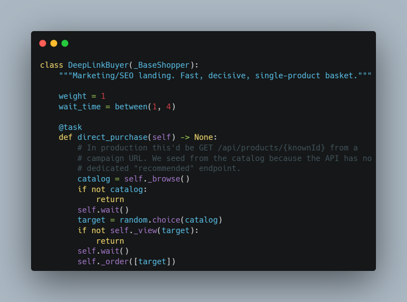
- The realistic rewrite. We worked with AI to turn that baseline into a full Locust script with three personas pulled from the client's own analytics:
- Casual Browser (60%): browses and filters, rarely buys
- Intent Shopper (30%): searches, views products, sometimes checks out
- Deep Link Buyer (10%): lands from a marketing link, already knows what they want
- Engineer review. A performance engineer reviewed every generated version before it touched anything close to production sizing, checking that weights and wait times matched real traffic patterns.
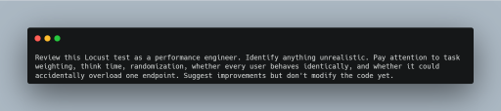
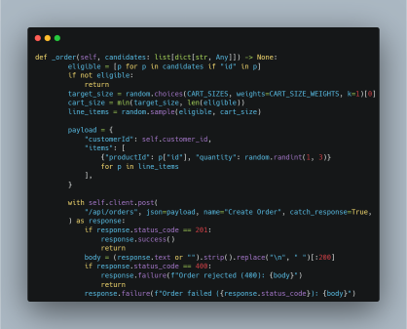
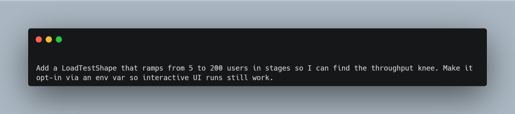
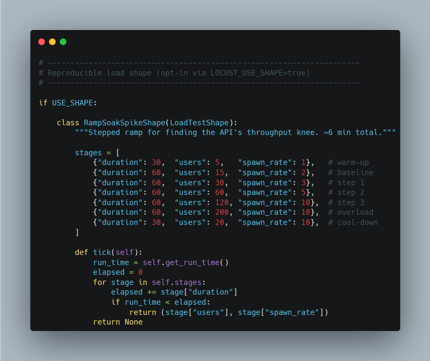
- A locked, reproducible profile. Once reviewed, the script was frozen into a fixed load profile: same personas, weights, and ramp pattern every run. That's what made results across test iterations comparable.
Finding and Fixing Bottlenecks
Bottleneck #1: A Cosmos DB Throughput Ceiling
The first real run, against a staging environment sized close to production, didn't get far. Azure Load Testing's server-side metrics showed Request Unit (RU) consumption on our Cosmos DB containers spiking repeatedly against the provisioned ceiling. The API layer started returning 429 (rate-limited) responses as a result.
Because we'd linked the Azure resources and enabled server-side metrics for the test, Azure Load Testing generated an AI-powered summary alongside the raw results automatically. It called out the RU ceiling as the main constraint, named the specific containers being throttled, and recommended enabling auto scale throughput given how bursty our persona-driven traffic was.
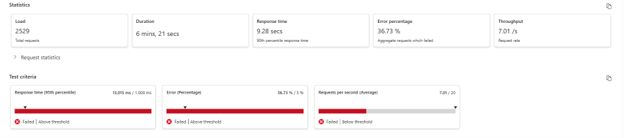
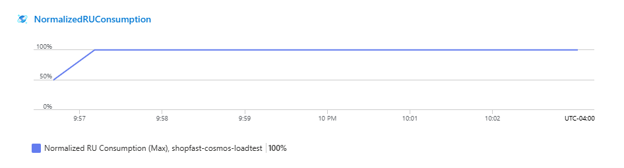

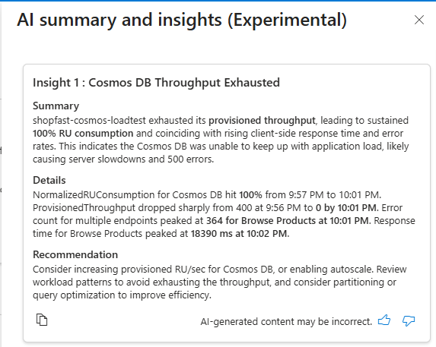
The fix: we enabled autoscale on the affected containers and reran the test.
Bottleneck #2: A Query Anti-Pattern
With throttling resolved, the test ran further. A new pattern showed up. CPU on one API service climbed steadily under load, and one endpoint's response times kept getting worse, with no errors at all. Requests were succeeding. They were just getting slower as concurrency increased.
Azure Load Testing's AI summary pointed us toward the query logic behind that slow endpoint rather than infrastructure sizing. Latency scaling with load, on one isolated endpoint, with no errors, didn't match a resource-exhaustion pattern. The recommendation was to look at the code path instead.
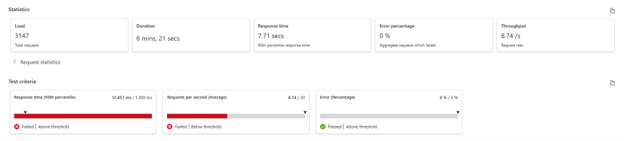

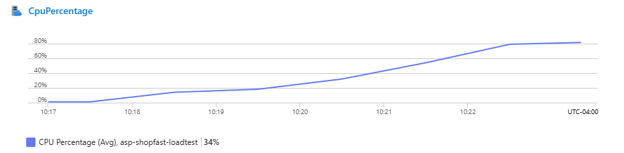

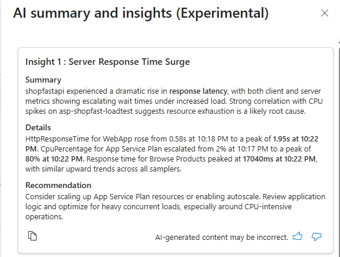
That lead held up. The endpoint was pulling all roughly 25,000 products from the container on every call and filtering client-side, instead of pushing the filter into the query and paginating results. Fine at low traffic. Under load, it was the single biggest driver of both CPU usage and tail latency.
The fix: query-level filtering, pagination, and caching for product data that doesn't change often.
Results
After both fixes, we reran the full suite end to end:
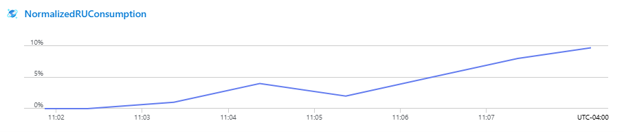
- RU consumption stayed inside autoscale bounds without triggering throttling
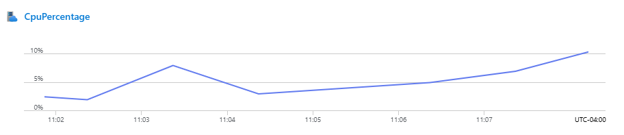
- CPU on the affected service flattened out under the same load
- The previously slow endpoint's response times returned to normal
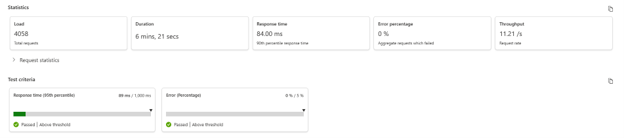
- Every non-functional requirement for the launch, sustained concurrent users, response time thresholds, error rate ceilings, was met
Next Steps
If you're setting up your own AI-assisted load test, here's where we'd start:
- Don't ask AI to write your first script. Start with a dumb, single path .http file to confirm the environment works. Bring in AI once you're ready to add personas and realistic behavior.
- Pull persona weights from real analytics. A load test with made-up traffic ratios will pass cleanly and still miss the path your users hammer.
- Link your server-side metrics before you run anything. Azure Load Testing's AI summary only correlates client and server metrics automatically if you've connected the resources upfront.
- Watch trends, not just pass/fail. Our second bottleneck never threw a single error. It just got slower until it eventually would have. Latency and resource trends caught it; error counts wouldn't have.
Two real bottlenecks surfaced here before either touched production, and neither would have shown up in unit tests or a QA pass alone. AI removed the friction between having a hypothesis and being able to test it, both while writing the script and while diagnosing what broke. The judgment calls, which personas mattered, whether a fix made sense, stayed with the engineers running the test. Worth keeping in mind before you hand your next load test to an AI assistant.
Related Topics:

.png)